August 2024 product updates
News
•
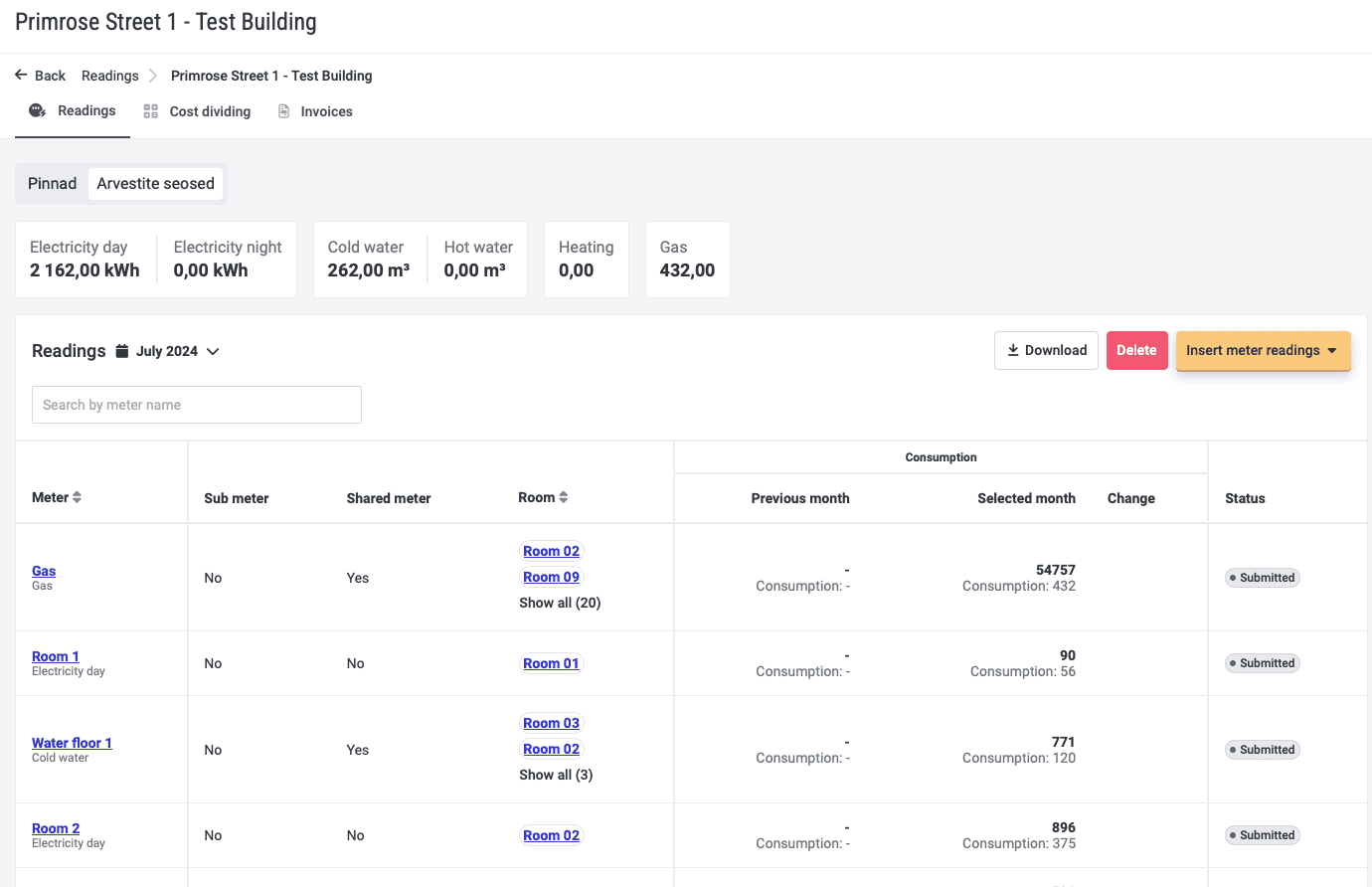
Table of Contents
Be the first to know about our latest projects and news
Integrations and invoices
If you have Directo integration, you can now see invoice balance in Hausing. To use it, please contact us at info@hausing.ee and we will give you exact instructions, what needs to be done to activate it.
In invoice edit view we now show a lot more rows than before. Every cost is linked to a room and lease, so we could make analytics and reports room-based and more detailed.
Meters and meter readings
If there is a tenant change, you must determine how the meter’s consumption should be divided. Either proportionally with the rented days or according to meter reading. If the tenant change is not determined, then in the cost sharing menu we have a notification and link to meter readings menu, to do the needed procedure.
NB! When a tenant is leaving in the middle of the month, then this is also considered a tenant change.
In addition, we changed the meters view. Before, you could see all meters only by rooms, then now you have an overview of:
Main- and submeteres,
How much is the main meter’s remaining consumption, if the sub meters are subtracted,
Previous and this month’s consumption and meter readings.
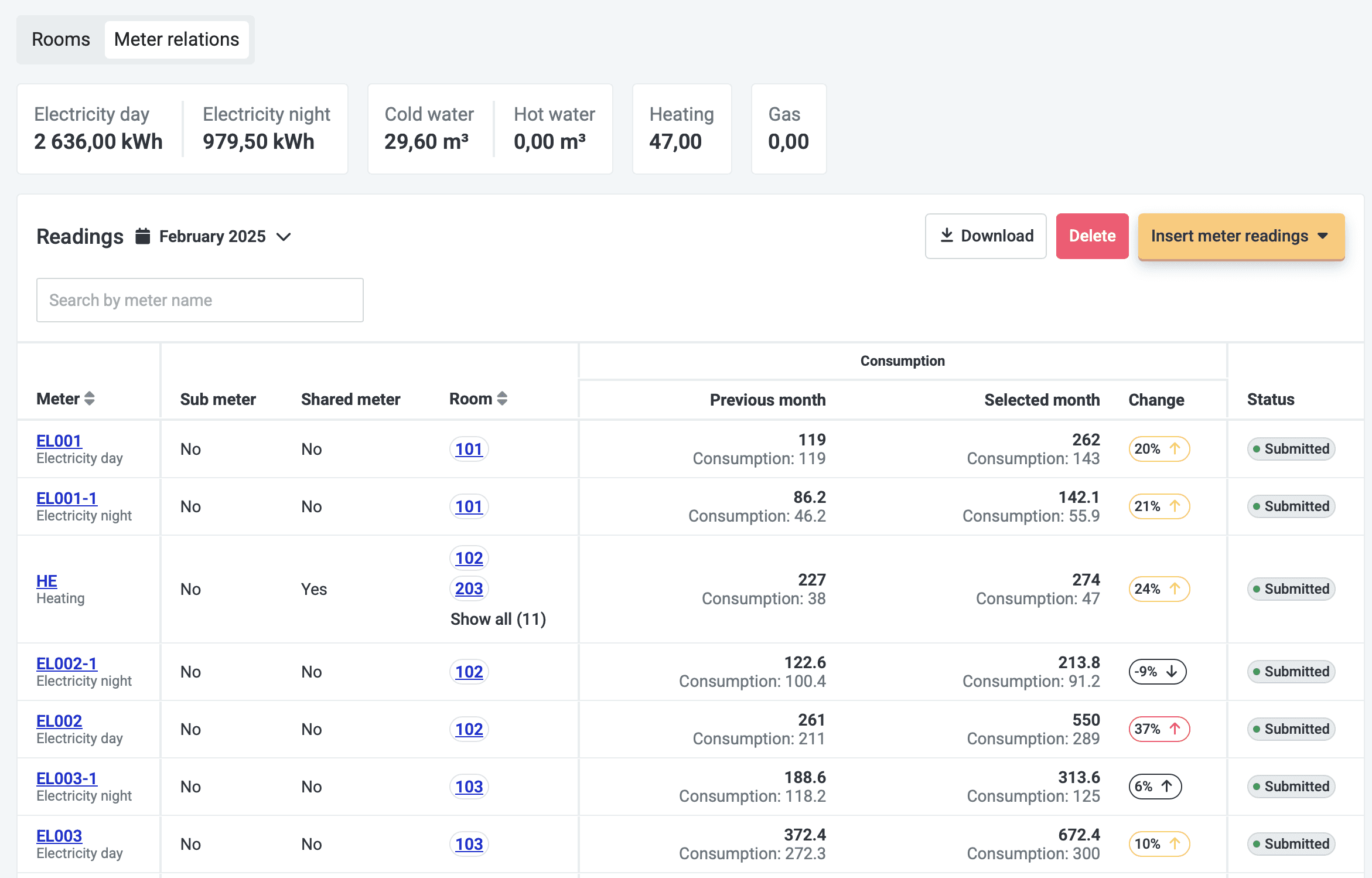
If you have shared meters, then you can alsouse calculated and heated area to share the consumption. Previously you could only do it with total area square meters.
Maintenance menu
In work order settings you can make deadline as a mandatory setting. Since now you could make mandatory only category and room.
You can do it like this: Ticketing > Settings > Tick the box in front of “Deadline required on ticket” > Save.
Now you can quickly determine ticket’s main ticket aka draw together tasks of one project.
If the ticket is linked to a room, then you can see it in kanban view.
Previously, if you accepted a task, the accepting comment went to the person who sent the task, but now the same answer stays in Hausing as a comment.
In preventive maintenance contract you can determine the date since when the tasks are generated into the maintenance calendar.
Preventive maintenance calendar shows the date and time when a task was marked as done.
Other
In cost rules table, there is new column “Cost group” aka now you can see what costs belong to what group.
Cost group gathers different cost under one name/row on invoice. For example, you share inside and outside cleaning service fee to your tenants, but you want them to appear as on row on invoice, then you can conveniently gather them under your desired name, like “Cleaning”.
In lease menu you can see fixed costs total amount per object.
In rooms and tenants view you can download all files at once. This makes dealing with the files much faster.
As always, we wait your ideas and proposals to make Hausing better to help@hausing.ee.
In this article / TLDR
August came with a lot of small improvements, to make the use of Hausing more convenient and logical. But let’s have a closer look menu-by-menu.
Related insights

Are you ready?
Centralize your property management workflows.
August 2024 product updates
News
•
Table of Contents
Be the first to know about our latest projects and news
Integrations and invoices
If you have Directo integration, you can now see invoice balance in Hausing. To use it, please contact us at info@hausing.ee and we will give you exact instructions, what needs to be done to activate it.
In invoice edit view we now show a lot more rows than before. Every cost is linked to a room and lease, so we could make analytics and reports room-based and more detailed.
Meters and meter readings
If there is a tenant change, you must determine how the meter’s consumption should be divided. Either proportionally with the rented days or according to meter reading. If the tenant change is not determined, then in the cost sharing menu we have a notification and link to meter readings menu, to do the needed procedure.
NB! When a tenant is leaving in the middle of the month, then this is also considered a tenant change.
In addition, we changed the meters view. Before, you could see all meters only by rooms, then now you have an overview of:
Main- and submeteres,
How much is the main meter’s remaining consumption, if the sub meters are subtracted,
Previous and this month’s consumption and meter readings.
If you have shared meters, then you can alsouse calculated and heated area to share the consumption. Previously you could only do it with total area square meters.
Maintenance menu
In work order settings you can make deadline as a mandatory setting. Since now you could make mandatory only category and room.
You can do it like this: Ticketing > Settings > Tick the box in front of “Deadline required on ticket” > Save.
Now you can quickly determine ticket’s main ticket aka draw together tasks of one project.
If the ticket is linked to a room, then you can see it in kanban view.
Previously, if you accepted a task, the accepting comment went to the person who sent the task, but now the same answer stays in Hausing as a comment.
In preventive maintenance contract you can determine the date since when the tasks are generated into the maintenance calendar.
Preventive maintenance calendar shows the date and time when a task was marked as done.
Other
In cost rules table, there is new column “Cost group” aka now you can see what costs belong to what group.
Cost group gathers different cost under one name/row on invoice. For example, you share inside and outside cleaning service fee to your tenants, but you want them to appear as on row on invoice, then you can conveniently gather them under your desired name, like “Cleaning”.
In lease menu you can see fixed costs total amount per object.
In rooms and tenants view you can download all files at once. This makes dealing with the files much faster.
As always, we wait your ideas and proposals to make Hausing better to help@hausing.ee.
In this article / TLDR
August came with a lot of small improvements, to make the use of Hausing more convenient and logical. But let’s have a closer look menu-by-menu.
Related insights
Centralize your property management workflows.