Hausing’s latest updates autumn 2025 – winter 2026
News
•
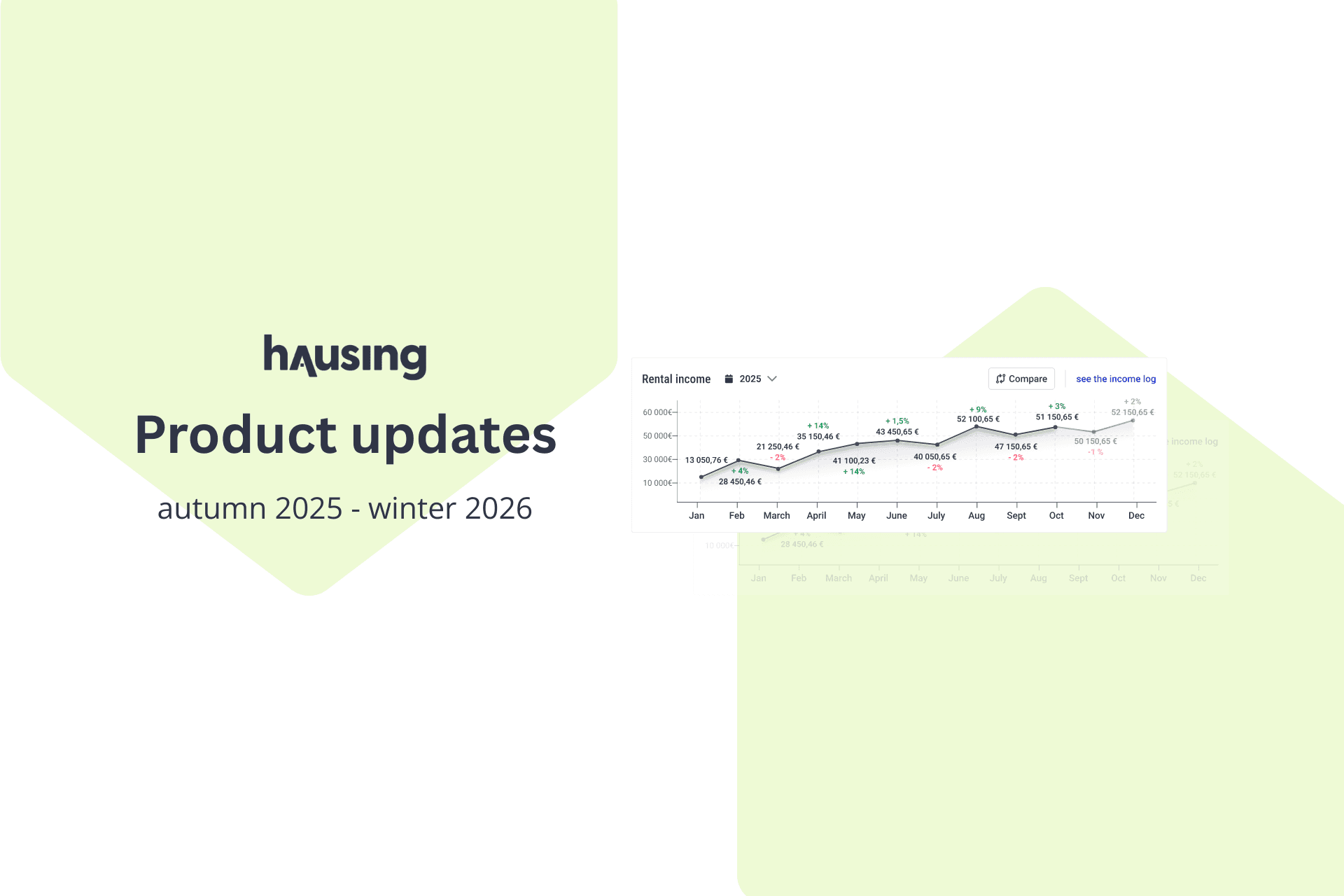
Table of Contents
Be the first to know about our latest projects and news
At the end of the year and the beginning of the new year, we have mainly focused on implementing larger changes and adding new functionalities. Below are the most important updates by module.
New way to contact our support
Hausing now has a built-in chat to contact support. Open Help > Chat. If we are not currently online, leave your email and we will get back to you.
If you still prefer email, write to [email protected].
Cost Allocation & Meters
Add one-time expense to a tenants invoice
When allocating costs, you can add a one-time expense to a tenant’s invoice.
The expense can be added at any time and for any period.
The exact same expense can be added to multiple tenants at once. For example, if you made new keys for two different tenants last month, you can add the same amount to both invoices in one action.
New meters menu
You can quickly see which room the meter is linked to and whether it has a tenant.
When opening a meter, you can quickly edit only the unit connection information.
If you use an external integration, the related external connections are also immediately visible
Meter archiving
If a meter is replaced or removed, it can be archived. This ensures that the entire consumption history remains preserved
A meter is always archived as of the beginning of the following month, so readings for the current month can still be entered.
To archive: Open the meter > More actions > Archive.
Tasks and maintenance diary
Task completion comment
When completing a task, you can make it mandatory to record the final resolution, either by the contractor (who writes their own completion comment) or by an internal user (who adds the final resolution).
With one click, you can copy the subcontractor’s comment as the official task resolution.
The task resolution can also be automatically displayed to the tenant in their portal.
Show maintenance diary tasks in the tenant portal
You can display selected maintenance tasks to the tenant.
The tenant sees the device, activity, time of completion, and task description.
You can add your own description for the task, e.g., “The work is noise-free and takes less than an hour.” There is no need to display the technical execution details.
Reports and inspections
If an act has been created from a task, you can navigate directly from the task to the act.
If the task is linked to an inspection, a connection is created and you can navigate to the inspection.
Contracts
Turnover reporting for retail businesses
All retail businesses can now enter tenants’ monthly net turnover, number of transactions, and number of customers.
Tenants can enter turnover themselves via their portal.
Service contracts
Add all service contracts related to your properties in Hausing, such as technical maintenance, insurance, waste management, etc.
Add the original contract, comments, service provider, contact persons, and more — all in one place.
Set the contract end date and configure a reminder for contract expiration.
NB! To activate the service contracts module, please email [email protected].
Other
File sharing with tenants/clients
You can share documents with tenants in two ways. By adding a file to a unit, which is shared only with that unit’s tenant; or under the property’s Documents menu, where you can share one file with all active tenants of the building.
To add a file: Properties > Documents > Add file.
If the access setting is “Visible to all,” the tenant can see it. If set to “Private,” only your company’s internal users can see it.
There are new analytics charts in the property and contracts menus
You can now add a previously created task to an inspection.
If you have any questions or thoughts, please contact us at [email protected].
In this article / TLDR
Latest Hausing Updates
Add one-time charges to tenant invoices anytime.
Improved meter management with archiving and clearer room links.
Mandatory task completion comments + maintenance visibility in tenant portal.
Retail tenants can submit monthly turnover data.
Manage service contracts with reminders.
Share documents with tenants and view new analytics charts.
Related insights

Are you ready?
Centralize your property management workflows.
Hausing’s latest updates autumn 2025 – winter 2026
News
•
Table of Contents
Be the first to know about our latest projects and news
At the end of the year and the beginning of the new year, we have mainly focused on implementing larger changes and adding new functionalities. Below are the most important updates by module.
New way to contact our support
Hausing now has a built-in chat to contact support. Open Help > Chat. If we are not currently online, leave your email and we will get back to you.
If you still prefer email, write to [email protected].
Cost Allocation & Meters
Add one-time expense to a tenants invoice
When allocating costs, you can add a one-time expense to a tenant’s invoice.
The expense can be added at any time and for any period.
The exact same expense can be added to multiple tenants at once. For example, if you made new keys for two different tenants last month, you can add the same amount to both invoices in one action.
New meters menu
You can quickly see which room the meter is linked to and whether it has a tenant.
When opening a meter, you can quickly edit only the unit connection information.
If you use an external integration, the related external connections are also immediately visible
Meter archiving
If a meter is replaced or removed, it can be archived. This ensures that the entire consumption history remains preserved
A meter is always archived as of the beginning of the following month, so readings for the current month can still be entered.
To archive: Open the meter > More actions > Archive.
Tasks and maintenance diary
Task completion comment
When completing a task, you can make it mandatory to record the final resolution, either by the contractor (who writes their own completion comment) or by an internal user (who adds the final resolution).
With one click, you can copy the subcontractor’s comment as the official task resolution.
The task resolution can also be automatically displayed to the tenant in their portal.
Show maintenance diary tasks in the tenant portal
You can display selected maintenance tasks to the tenant.
The tenant sees the device, activity, time of completion, and task description.
You can add your own description for the task, e.g., “The work is noise-free and takes less than an hour.” There is no need to display the technical execution details.
Reports and inspections
If an act has been created from a task, you can navigate directly from the task to the act.
If the task is linked to an inspection, a connection is created and you can navigate to the inspection.
Contracts
Turnover reporting for retail businesses
All retail businesses can now enter tenants’ monthly net turnover, number of transactions, and number of customers.
Tenants can enter turnover themselves via their portal.
Service contracts
Add all service contracts related to your properties in Hausing, such as technical maintenance, insurance, waste management, etc.
Add the original contract, comments, service provider, contact persons, and more — all in one place.
Set the contract end date and configure a reminder for contract expiration.
NB! To activate the service contracts module, please email [email protected].
Other
File sharing with tenants/clients
You can share documents with tenants in two ways. By adding a file to a unit, which is shared only with that unit’s tenant; or under the property’s Documents menu, where you can share one file with all active tenants of the building.
To add a file: Properties > Documents > Add file.
If the access setting is “Visible to all,” the tenant can see it. If set to “Private,” only your company’s internal users can see it.
There are new analytics charts in the property and contracts menus
You can now add a previously created task to an inspection.
If you have any questions or thoughts, please contact us at [email protected].
In this article / TLDR
Latest Hausing Updates
Add one-time charges to tenant invoices anytime.
Improved meter management with archiving and clearer room links.
Mandatory task completion comments + maintenance visibility in tenant portal.
Retail tenants can submit monthly turnover data.
Manage service contracts with reminders.
Share documents with tenants and view new analytics charts.
Related insights
Centralize your property management workflows.