June 2024 product updates
News
•
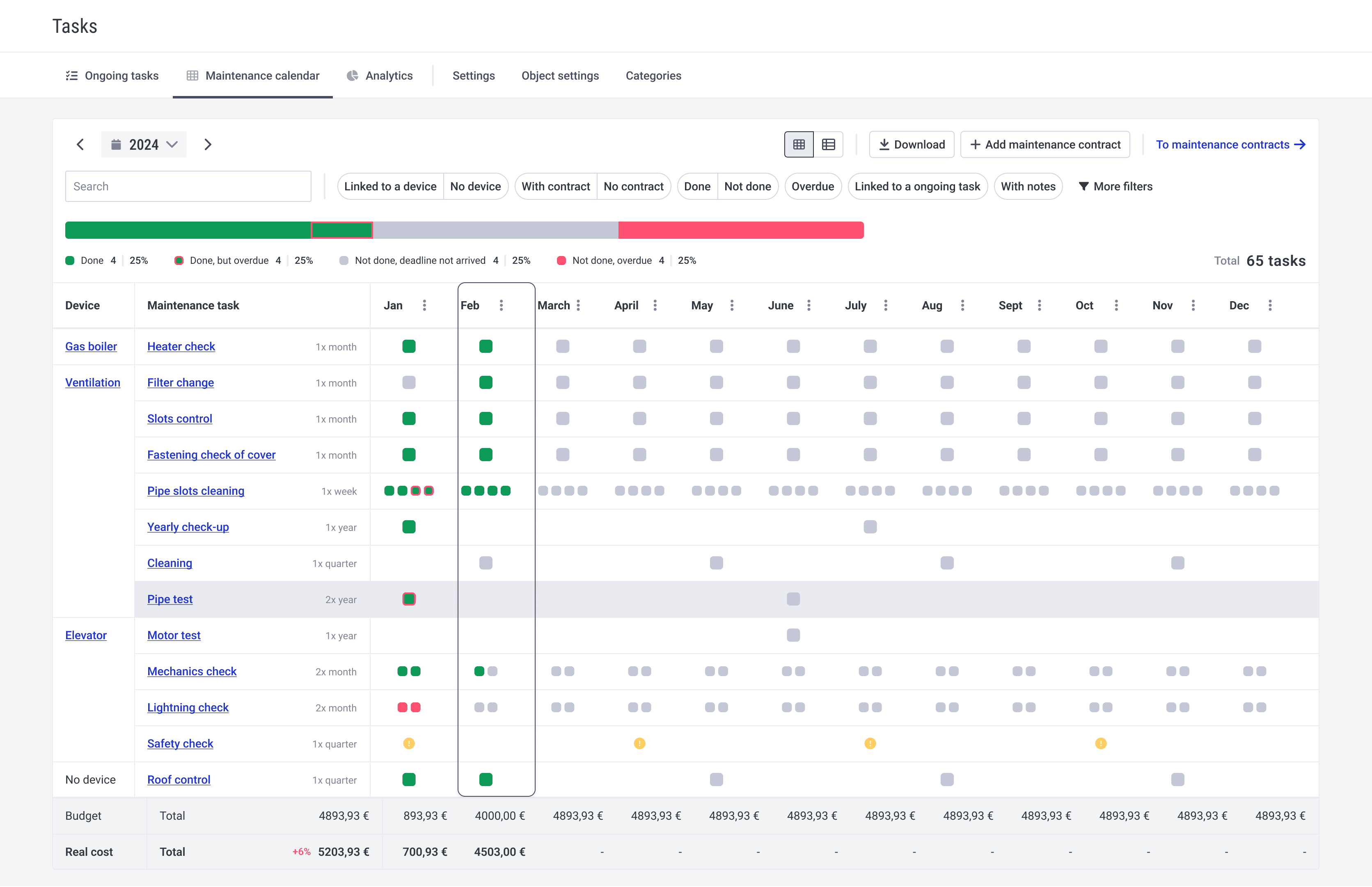
Table of Contents
Be the first to know about our latest projects and news
New views
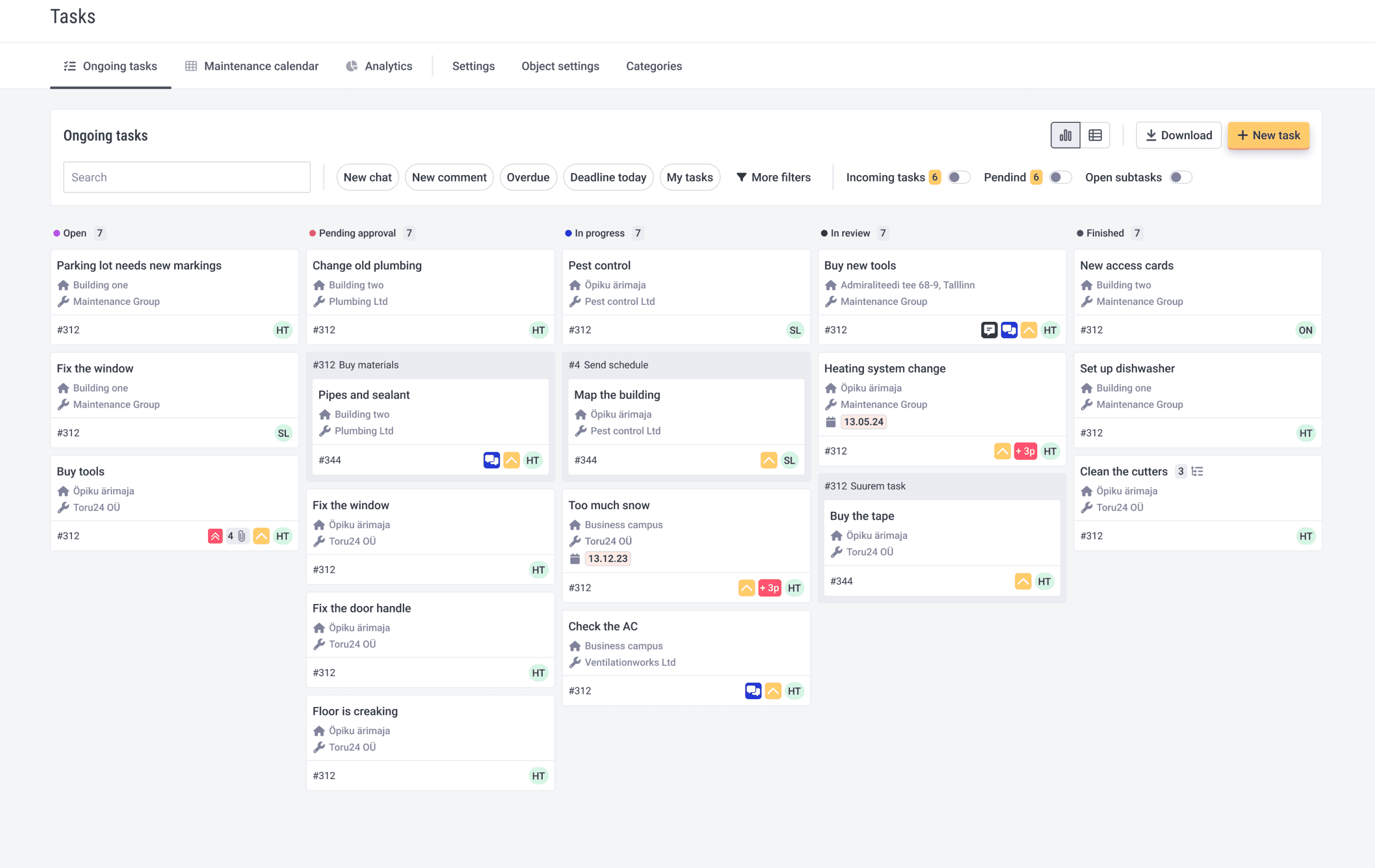
New ticketing view - in addition to new design, you can easily activate incoming or pending tasks column and open sub-tasks with one click. We added some new instant filters, to see which tasks have new comments or chats. Use the search bar to search tasks headlines and descriptions.
Every ticket has colour-coded supervisor initials, so you could have better overview of how many tasks someone has going on.
New preventive maintenance view - we have totally redesigned the old calendar view and added new functionalities. Now you can see the whole year on one page. Devices and their tasks are in organised view on the left side. You can use instant filters - linked/not linked to a device, done/undone, overdue, contains new notes.
Other updates
When you send out group-notification for tenants, you get the same email as a blind copy. So you have better overview of sent out information.
Folder system in rooms and object view.
If you reject a task and add a comment, then tenant can see the added comment in tenant portal.
Analytics has object owner filter.
Better archived tasks filter in ticketing.
Better linking between tenants and contracts.
Have some ideas how to make Hausing better? Contact us at [email protected]
In this article / TLDR
June brought two new views to Hausing ticekting menu and some smaller, but anticipated, updates for better user experience.
Related insights

Are you ready?
Centralize your property management workflows.
June 2024 product updates
News
•
Table of Contents
Be the first to know about our latest projects and news
New views
New ticketing view - in addition to new design, you can easily activate incoming or pending tasks column and open sub-tasks with one click. We added some new instant filters, to see which tasks have new comments or chats. Use the search bar to search tasks headlines and descriptions.
Every ticket has colour-coded supervisor initials, so you could have better overview of how many tasks someone has going on.
New preventive maintenance view - we have totally redesigned the old calendar view and added new functionalities. Now you can see the whole year on one page. Devices and their tasks are in organised view on the left side. You can use instant filters - linked/not linked to a device, done/undone, overdue, contains new notes.
Other updates
When you send out group-notification for tenants, you get the same email as a blind copy. So you have better overview of sent out information.
Folder system in rooms and object view.
If you reject a task and add a comment, then tenant can see the added comment in tenant portal.
Analytics has object owner filter.
Better archived tasks filter in ticketing.
Better linking between tenants and contracts.
Have some ideas how to make Hausing better? Contact us at [email protected]
In this article / TLDR
June brought two new views to Hausing ticekting menu and some smaller, but anticipated, updates for better user experience.
Related insights
Centralize your property management workflows.