WORK ORDER MANAGEMENT
Work order management software that takes you out of the middle. Tenants report issues, contractors pick them up, and everyone sees the status without anyone having to ask.
“I’d certainly recommend Hausing to anybody who’s serious about having an active overview of their work - a way of planning, and a way of monitoring what needs to be done.”
Tejasiddhi, Windhorse Trust, Cambridge, UK · 15 properties, 400+ work orders, two-person team

THE PROBLEM
It is rarely the volume of work. It is that one person becomes the routing layer: something breaks, a tenant rings or emails, and that person has to find the right contractor, make the call, then remember to check back. Every new building adds to what that one person carries. Hausing removes the routing step: a request arrives, it becomes a work order against the right building, and the responsible person or contractor picks it up directly.
Without Hausing
You are the routing layer
Tenant emails → your inbox → you ring the contractor → a note in a spreadsheet → you ring again to check → the rest lives in your memory.
With Hausing
The work routes itself
Tenant submits → one work order → assigned owner → contractor updates it → status everyone can see → permanent history.
DEFINITION
Work order management software is one system where every maintenance issue is logged, assigned to a named person, given a deadline, tracked to completion and kept on record against the building it belongs to. It replaces the shared inboxes, phone calls and individual spreadsheets most property teams still run on.
01
One board for every job
Every open work order across the portfolio on one board, grouped by status, so nothing sits unseen in someone’s inbox.
02
An owner, a deadline, a priority
Each job gets a named person, a due date and a priority the moment it is created.
03
The conversation lives on the job
Tenant and contractor conversation attached to the job itself, not to an inbox.
04
Cost and time on the record
Expenses, quotes and tracked time are logged against the work order and the building it belongs to.
05
Reporting across the portfolio
See volumes, overdue work and resolution times by building, category or contractor.
See it on your own portfolio
Set up a building on a free trial and run your first work orders this week.
Try for free →
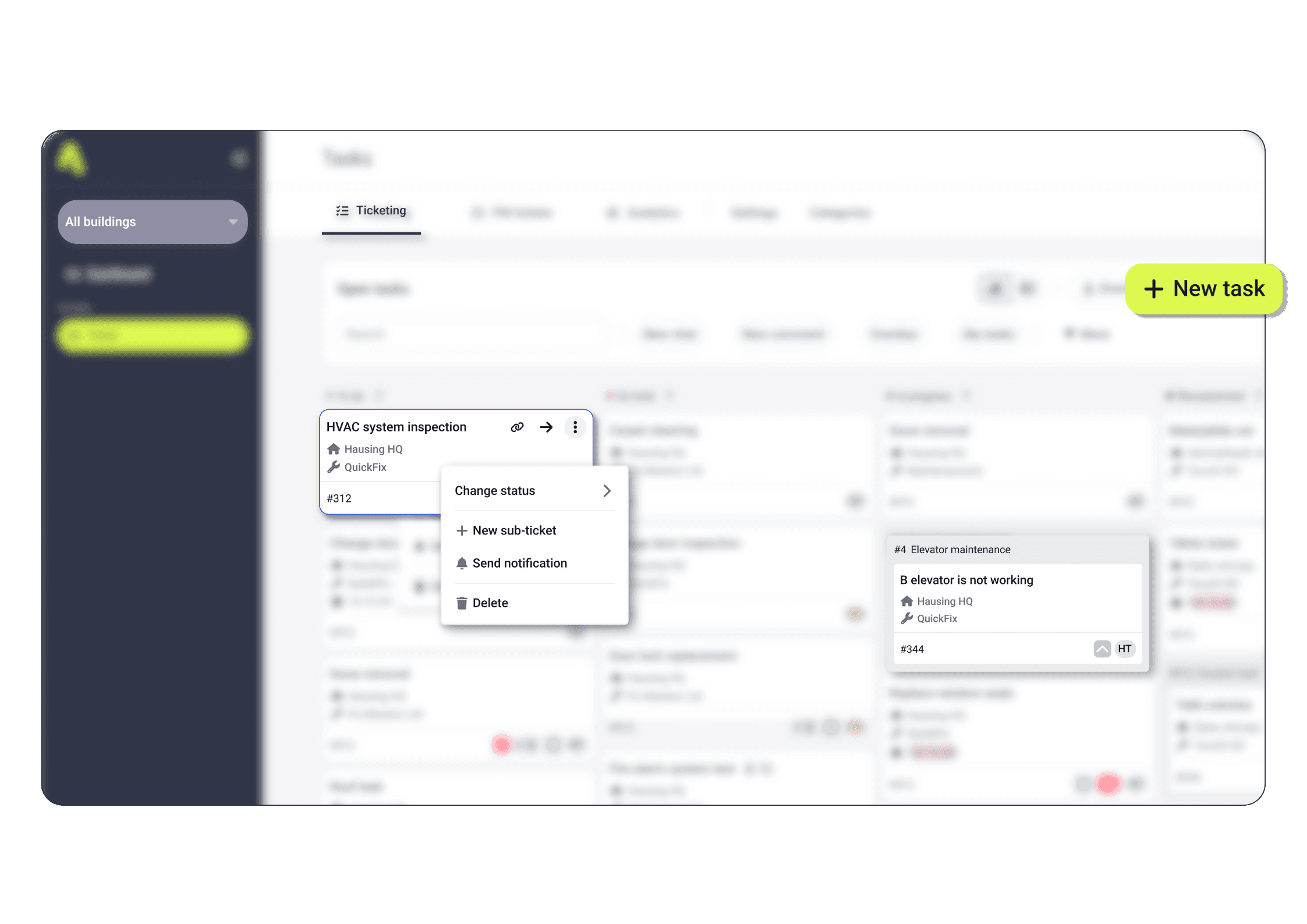
Owners, managers, contractors and tenants all work from the same live record. When a contractor marks work complete, the tenant and the owner see it without anyone writing an update.
This removes the follow-up calls, because the answer to “any progress?” is already visible to the person who would have asked.
→
State: every change of state is visible to everyone on the job
→
Tenant: the person who reported it follows progress without chasing
→
Supervisor and contractor: named owners on every work order
→
Files: photos shared with everybody, or kept private
“When all communication moves to a single platform, many of the calls where you have to check whether work has already started are eliminated.”
Taavi Konga, Construction Manager, Liven
Yes, and this is the question worth asking, because you are deciding on behalf of people you do not employ. Contractors do not need an account to receive a work order and mark it complete. Tenants submit requests and follow them without training. Nobody outside your team has to change the way they already work.
“Subcontractors like being able to mark work as complete without sending emails. The entire work history remains accessible to all involved.” “It’s now completely natural for a client to submit their own task.”
Alex Talisainen, Head of Warranty and Quality, Kaamos Ehitus
Growth almost never arrives with headcount attached. What changes is whether the work is visible enough that a second person can pick up a job without a handover conversation.
“Hausing saves me about an hour every day.”

Aigor Helm
Maintenance Manager, Saku Brewery
“Our property management team is still relatively small, with just five people, but the number of buildings has increased significantly.”

Martin Mäekivi
Head of Property Management, Mainor Ülemiste
“Tasks that once took a week are now completed much faster.”
Ergo Eelmäe
Administrative Manager, BLRT
INTEGRATIONS
Yes. Hausing is built to sit as an operational layer on top of existing finance or CAFM systems rather than replace them. Teams that already have an accounting or lease system keep it and use Hausing for the day-to-day maintenance work those systems handle poorly.








FAQ
Here you can find answers to the most common questions.
What is a work order?
A work order is a record of a single piece of maintenance work: what needs doing, at which building or unit, who is responsible, by when, and what happened. It turns a verbal request or an email into something trackable.
How is work order management different from a ticketing system?
A ticketing system tracks a conversation. Work order management tracks the work itself: the building and asset it belongs to, the contractor doing it, its cost and its completion record.
Do contractors need their own login?
No. Contractors can receive a work order, communicate on it and mark it complete without creating an account.
Which types of property does Hausing suit?
Residential, commercial, retail and mixed portfolios, from a handful of buildings to several hundred.
How long does implementation take?
Most teams have their first building running within a week. Larger portfolios are onboarded site by site.
Can I try Hausing for free?
Yes. Start a free trial and set up a building yourself, or book a call and we will do it with you.
Set up a building yourself on a free trial, or book a 15-minute call and we will do it with you.
Book a demo
→